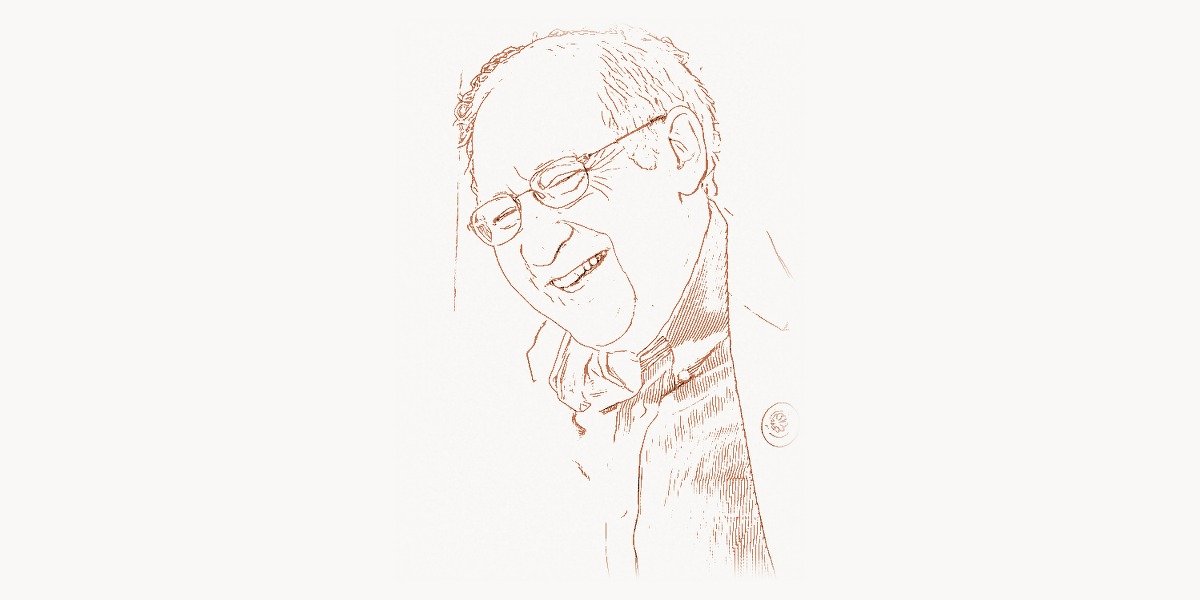
Long before touchscreens became ubiquitous and drag-and-drop felt as natural as breathing, one researcher dared to ask a radical question: what if people could simply reach into the screen and move things around? That researcher was Ben Shneiderman, and his answer — a concept he called direct manipulation — didn’t just influence interface design. It fundamentally rewired how humanity interacts with computers, turning opaque command-line terminals into the intuitive visual environments billions of people use every day without a second thought.
Shneiderman’s contributions stretch far beyond a single idea. As a professor at the University of Maryland for over four decades, he invented treemaps, articulated the Eight Golden Rules of Interface Design, championed universal usability, and built a research legacy that bridges computer science, information visualization, and human creativity. His work has shaped everything from the file browsers on your desktop to the data dashboards that drive modern business intelligence. This is the story of a scientist who believed technology should serve people — not the other way around.
Early Life and the Path to Computing
Ben Shneiderman was born on August 21, 1947, in New York City. Growing up in an intellectually stimulating environment, he developed an early fascination with mathematics and problem-solving. He earned his undergraduate degree in mathematics and physics from the City College of New York in 1968, then pursued graduate studies at the State University of New York at Stony Brook, where he received his Ph.D. in computer science in 1973.
His doctoral work already hinted at what would become a lifelong obsession: making computers more accessible to ordinary people. While many of his contemporaries focused on algorithms, hardware optimization, and computational theory, Shneiderman was drawn to the human side of computing. He wanted to understand not just what computers could do, but how people actually experienced using them.
In 1976, Shneiderman joined the University of Maryland’s Department of Computer Science, where he would remain for his entire career. It was there, in College Park, that he founded the Human-Computer Interaction Lab (HCIL) in 1983 — one of the first research labs in the world dedicated entirely to studying and improving the way people interact with technology. The HCIL became a crucible for ideas that would reshape the computing landscape.
Direct Manipulation: The Interface Revolution
In 1983, Shneiderman published a landmark paper introducing the concept of direct manipulation interfaces. The term described a style of interaction where users operate directly on visible objects on the screen, receiving immediate feedback for every action. Instead of typing cryptic commands, users could point, click, drag, and drop — interacting with digital objects as if they were physical ones.
Shneiderman identified three key principles of direct manipulation:
- Continuous representation of the objects and actions of interest
- Physical actions (clicking, dragging) instead of complex syntax
- Rapid, incremental, reversible actions whose effects are immediately visible
These principles may sound obvious today, but in 1983 most computer users stared at blinking cursors on black screens, memorizing arcane command sequences. Shneiderman’s framework gave designers a theoretical foundation for building interfaces that felt natural and intuitive. The Macintosh desktop, Windows Explorer, smartphone touch interfaces — all are direct descendants of the principles he articulated. Pioneers like Anders Hejlsberg, who brought developer tools into the modern era, built upon this same philosophy of making complex systems approachable.
The Eight Golden Rules of Interface Design
Shneiderman codified his interface design philosophy into the Eight Golden Rules, first published in his seminal textbook Designing the User Interface (1986). These rules have guided generations of designers and remain remarkably relevant four decades later:
- Strive for consistency — similar actions should produce similar results throughout the system
- Seek universal usability — cater to novices and experts alike
- Offer informative feedback — every user action should produce a visible response
- Design dialogs to yield closure — sequences of actions should have clear beginnings, middles, and ends
- Prevent errors — design systems so serious mistakes are difficult to make
- Permit easy reversal of actions — users should be able to undo mistakes
- Keep users in control — the interface should respond to user actions, not dictate them
- Reduce short-term memory load — don’t force users to remember information across screens
These principles influenced not just academic HCI research but practical product design at companies worldwide. When Luke Wroblewski later championed the mobile-first design approach, he was building on the same user-centered philosophy that Shneiderman had championed decades earlier. The focus on reducing cognitive load and keeping users in control remains central to modern UX practice, including the design thinking embraced by teams at Toimi, where user-centered interface design drives every digital project.
Treemaps: Visualizing Hierarchical Data
In the early 1990s, Shneiderman faced a mundane but persistent problem: his hard drive was full, and he wanted to find out which files and directories were consuming the most space. Existing tools listed files in text-based trees — functional but nearly useless for quickly spotting the biggest space hogs in a deep directory hierarchy.
His solution was elegant and revolutionary: treemaps. Instead of representing hierarchies as nested lists or tree diagrams, treemaps use nested rectangles where the area of each rectangle is proportional to a quantitative variable (such as file size). A single glance at a treemap reveals which items dominate the dataset, which categories contain the most entries, and where anomalies hide.
The invention, published in 1991, was a breakthrough in information visualization. Treemaps proved astonishingly versatile. Financial analysts use them to visualize stock market performance. Journalists use them to display budget allocations. Software engineers use them to analyze code complexity. The concept even influenced how John Maeda approached the intersection of design and technology — simplifying complexity through visual elegance.
Implementing a Treemap Visualization
The treemap algorithm recursively subdivides a rectangle into smaller rectangles, each representing a node in the hierarchy. Here is a modern implementation using JavaScript and the HTML Canvas API that demonstrates Shneiderman’s squarified treemap approach:
class TreemapRenderer {
  constructor(canvas, data) {
    this.ctx = canvas.getContext('2d');
    this.width = canvas.width;
    this.height = canvas.height;
    this.data = data;
    this.colorPalette = [
      '#c2724e', '#d4956f', '#1c1917',
      '#78716c', '#a8a29e', '#e7e5e4'
    ];
  }

  render() {
    const totalValue = this.sumValues(this.data);
    this.drawNode(this.data, 0, 0, this.width, this.height, totalValue, 0);
  }

  sumValues(nodes) {
    return nodes.reduce((sum, node) => sum + (node.value || 0), 0);
  }

  drawNode(nodes, x, y, w, h, totalValue, depth) {
    let offsetX = x;
    let offsetY = y;
    const isHorizontal = w >= h;

    nodes.forEach((node, index) => {
      const ratio = node.value / totalValue;
      let nodeW, nodeH;

      if (isHorizontal) {
        nodeW = w * ratio;
        nodeH = h;
      } else {
        nodeW = w;
        nodeH = h * ratio;
      }

      // Draw the rectangle with border
      this.ctx.fillStyle = this.colorPalette[depth % this.colorPalette.length];
      this.ctx.fillRect(offsetX, offsetY, nodeW, nodeH);
      this.ctx.strokeStyle = '#f9f8f6';
      this.ctx.lineWidth = 2;
      this.ctx.strokeRect(offsetX, offsetY, nodeW, nodeH);

      // Label if large enough
      if (nodeW > 60 && nodeH > 25) {
        this.ctx.fillStyle = depth % 2 === 0 ? '#f9f8f6' : '#1c1917';
        this.ctx.font = '13px "IBM Plex Sans", sans-serif';
        this.ctx.fillText(
          `${node.name} (${node.value})`,
          offsetX + 6, offsetY + 18
        );
      }

      // Recurse into children
      if (node.children && node.children.length > 0) {
        const childTotal = this.sumValues(node.children);
        const padding = 4;
        this.drawNode(
          node.children,
          offsetX + padding, offsetY + 22,
          nodeW - padding * 2, nodeH - 26,
          childTotal, depth + 1
        );
      }

      if (isHorizontal) offsetX += nodeW;
      else offsetY += nodeH;
    });
  }
}

// Usage: visualize project file sizes
const canvas = document.getElementById('treemap');
const projectData = [
  { name: 'src', value: 4200, children: [
    { name: 'components', value: 1800 },
    { name: 'utils', value: 900 },
    { name: 'styles', value: 1500 }
  ]},
  { name: 'docs', value: 1600 },
  { name: 'tests', value: 2100 },
  { name: 'config', value: 400 }
];

new TreemapRenderer(canvas, projectData).render();
This code demonstrates the core treemap concept: recursively partitioning a rectangular area so that each sub-rectangle’s size corresponds to its data value. Shneiderman’s original algorithm used simple slice-and-dice partitioning, alternating between horizontal and vertical divisions at each level of the hierarchy.
Universal Usability and Human-Centered AI
Throughout his career, Shneiderman has been a tireless advocate for universal usability — the idea that technology should be designed to work for everyone, regardless of age, ability, language, or technical expertise. He argued that usability is not a luxury feature to be added at the end of development but a fundamental requirement that should guide the entire design process.
This philosophy resonated powerfully with researchers like Barbara Liskov, whose work on data abstraction similarly emphasized creating clean, understandable interfaces between system components. Shneiderman extended this thinking from programmer-facing APIs to user-facing interfaces, insisting that both deserve rigorous design attention.
In recent years, Shneiderman has turned his attention to artificial intelligence, publishing Human-Centered AI (2022). In this work, he argues against fully autonomous AI systems, advocating instead for designs that keep humans in control while amplifying their capabilities. He calls this approach HCAI — a framework where reliable, safe, and trustworthy AI systems augment human performance rather than replacing human judgment.
His stance has sparked important debates in the AI community, particularly as researchers like Ashish Vaswani push the boundaries of what transformer architectures can achieve. Shneiderman doesn’t oppose AI advancement — he insists that the most powerful systems will be those designed with human oversight, transparency, and accountability built in from the start.
Building a Direct Manipulation Interface
To illustrate Shneiderman’s direct manipulation principles in practice, here is a modern implementation of a draggable, interactive canvas where users manipulate visual elements with immediate feedback — exactly the kind of interface he envisioned:
class DirectManipulationCanvas {
  constructor(containerId) {
    this.container = document.getElementById(containerId);
    this.canvas = document.createElement('canvas');
    this.canvas.width = 800;
    this.canvas.height = 500;
    this.container.appendChild(this.canvas);
    this.ctx = this.canvas.getContext('2d');

    this.elements = [];
    this.dragTarget = null;
    this.dragOffset = { x: 0, y: 0 };
    this.undoStack = [];

    this.initEventListeners();
    this.addDefaultElements();
    this.render();
  }

  addDefaultElements() {
    const defaults = [
      { x: 50, y: 50, w: 160, h: 90, label: 'User Input', color: '#c2724e' },
      { x: 300, y: 50, w: 160, h: 90, label: 'Processing', color: '#292524' },
      { x: 550, y: 50, w: 160, h: 90, label: 'Output', color: '#78716c' }
    ];
    defaults.forEach(el => this.elements.push({ ...el, id: crypto.randomUUID() }));
  }

  initEventListeners() {
    this.canvas.addEventListener('mousedown', (e) => this.onMouseDown(e));
    this.canvas.addEventListener('mousemove', (e) => this.onMouseMove(e));
    this.canvas.addEventListener('mouseup', () => this.onMouseUp());

    // Keyboard shortcut for undo (Golden Rule #6)
    document.addEventListener('keydown', (e) => {
      if ((e.ctrlKey || e.metaKey) && e.key === 'z') {
        this.undo();
      }
    });
  }

  getMousePos(e) {
    const rect = this.canvas.getBoundingClientRect();
    return { x: e.clientX - rect.left, y: e.clientY - rect.top };
  }

  findElementAt(pos) {
    // Search in reverse order so topmost element is found first
    for (let i = this.elements.length - 1; i >= 0; i--) {
      const el = this.elements[i];
      if (pos.x >= el.x && pos.x <= el.x + el.w &&
          pos.y >= el.y && pos.y <= el.y + el.h) {
        return el;
      }
    }
    return null;
  }

  onMouseDown(e) {
    const pos = this.getMousePos(e);
    const target = this.findElementAt(pos);
    if (target) {
      // Save state for undo before dragging
      this.undoStack.push(JSON.parse(JSON.stringify(this.elements)));
      this.dragTarget = target;
      this.dragOffset = { x: pos.x - target.x, y: pos.y - target.y };
      this.canvas.style.cursor = 'grabbing';
    }
  }

  onMouseMove(e) {
    const pos = this.getMousePos(e);
    if (this.dragTarget) {
      // Continuous visual feedback (Golden Rule #3)
      this.dragTarget.x = pos.x - this.dragOffset.x;
      this.dragTarget.y = pos.y - this.dragOffset.y;
      this.render();
    } else {
      const hover = this.findElementAt(pos);
      this.canvas.style.cursor = hover ? 'grab' : 'default';
    }
  }

  onMouseUp() {
    this.dragTarget = null;
    this.canvas.style.cursor = 'default';
    this.render();
  }

  undo() {
    if (this.undoStack.length > 0) {
      this.elements = this.undoStack.pop();
      this.render();
    }
  }

  render() {
    this.ctx.clearRect(0, 0, this.canvas.width, this.canvas.height);
    this.ctx.fillStyle = '#f9f8f6';
    this.ctx.fillRect(0, 0, this.canvas.width, this.canvas.height);

    this.elements.forEach(el => {
      // Draw element with shadow for depth
      this.ctx.shadowColor = 'rgba(0,0,0,0.15)';
      this.ctx.shadowBlur = 8;
      this.ctx.shadowOffsetY = 3;
      this.ctx.fillStyle = el.color;
      this.ctx.beginPath();
      this.ctx.roundRect(el.x, el.y, el.w, el.h, 8);
      this.ctx.fill();
      this.ctx.shadowBlur = 0;
      this.ctx.shadowOffsetY = 0;

      // Draw label
      this.ctx.fillStyle = '#f9f8f6';
      this.ctx.font = '600 15px "Space Grotesk", sans-serif';
      this.ctx.textAlign = 'center';
      this.ctx.fillText(el.label, el.x + el.w / 2, el.y + el.h / 2 + 5);
      this.ctx.textAlign = 'left';
    });

    // Status bar feedback
    this.ctx.fillStyle = '#a8a29e';
    this.ctx.font = '12px "IBM Plex Sans", sans-serif';
    this.ctx.fillText(
      `${this.elements.length} elements | Ctrl+Z to undo | Drag to move`,
      10, this.canvas.height - 10
    );
  }
}

// Initialize the direct manipulation workspace
const workspace = new DirectManipulationCanvas('dm-workspace');
Notice how this implementation embodies Shneiderman’s principles: objects are continuously visible, users interact through physical gestures (drag and drop), feedback is immediate, and actions are reversible through undo. These are not merely aesthetic choices — they are grounded in decades of cognitive science research showing that direct manipulation reduces errors, accelerates learning, and increases user satisfaction.
Legacy and Lasting Influence
Shneiderman’s impact on computing is enormous and pervasive. His textbook Designing the User Interface has gone through six editions and remains a standard reference in HCI courses worldwide. He has published over 500 technical papers and received numerous awards, including the ACM CHI Lifetime Research Award and the IEEE Visualization Career Award.
Beyond academia, his ideas have permeated the software industry. The principles of direct manipulation are embedded in every modern operating system, every smartphone, every tablet. Treemaps have become a standard visualization technique used by tools ranging from disk space analyzers to financial trading platforms. Project management platforms like Taskee reflect his philosophy that tools should make complex information immediately visible and manipulable, reducing the cognitive burden on their users.
His advocacy for universal usability helped establish accessibility as a core concern in software development, not an afterthought. And his recent work on human-centered AI has provided a critical counterpoint to the rush toward full automation, reminding the tech community that the most powerful technology amplifies human capability rather than replacing it.
Shneiderman’s influence also extends to researchers like Nicole Forsgren, whose data-driven approach to measuring software delivery performance echoes Shneiderman’s insistence on empirical evidence over intuition. Both researchers demonstrated that rigorous measurement leads to better outcomes — whether measuring interface usability or deployment frequency.
Perhaps Shneiderman’s greatest contribution is philosophical. In a field obsessed with computational power and algorithmic efficiency, he consistently argued that the most important metric is human experience. A system that is computationally elegant but impossible to use is a failure. A simple interface that empowers millions of people to accomplish their goals is a triumph. That perspective — human-first, always — is his enduring gift to computing.
Frequently Asked Questions
What is direct manipulation in human-computer interaction?
Direct manipulation is an interaction style coined by Ben Shneiderman in 1983 where users operate directly on visible objects on the screen using physical actions like clicking and dragging, receiving immediate visual feedback. Instead of typing text commands, users interact with graphical representations of data and objects. This paradigm underlies modern graphical user interfaces including desktop operating systems, smartphones, and tablets. Shneiderman identified three core properties: continuous representation of objects, physical actions instead of typed commands, and rapid reversible operations with immediate visible results.
What are treemaps and why are they important?
Treemaps are a visualization technique invented by Ben Shneiderman in 1991 that displays hierarchical data using nested rectangles. Each rectangle’s area represents a quantitative value, making it easy to spot patterns, outliers, and proportions at a glance. They were originally created to visualize disk space usage but have since been adopted across industries for financial analysis, genomics research, news aggregation, and business intelligence dashboards. Treemaps are important because they solve the fundamental problem of displaying large hierarchical datasets in a compact, space-efficient format that leverages human visual perception.
What are Shneiderman’s Eight Golden Rules of Interface Design?
The Eight Golden Rules are design principles published by Ben Shneiderman in his 1986 textbook Designing the User Interface. They are: strive for consistency, seek universal usability, offer informative feedback, design dialogs to yield closure, prevent errors, permit easy reversal of actions, keep users in control, and reduce short-term memory load. These rules provide a practical framework for creating user-friendly interfaces and have been widely adopted across the software industry. They remain relevant today and continue to be taught in HCI and UX design courses at universities worldwide.
How did Ben Shneiderman influence modern AI development?
Shneiderman’s 2022 book Human-Centered AI advocates for AI systems that augment human abilities rather than replacing human judgment. His HCAI framework emphasizes reliability, safety, and trustworthiness, arguing that the most effective AI systems maintain meaningful human oversight and control. He proposes a two-dimensional framework where high levels of both human control and computer automation can coexist, challenging the assumption that increased automation necessarily means decreased human involvement. His work has influenced policy discussions about AI governance and shaped design approaches at organizations developing AI-powered products.
What is the Human-Computer Interaction Lab (HCIL) at the University of Maryland?
The HCIL was founded by Ben Shneiderman in 1983 at the University of Maryland, College Park, making it one of the earliest research laboratories dedicated to studying and improving human-computer interaction. The lab has produced groundbreaking research in areas including information visualization, touchscreen interfaces, collaborative systems, and universal usability. It pioneered techniques such as dynamic queries, zoomable interfaces, and treemaps. The HCIL has trained hundreds of researchers and practitioners who went on to shape the technology industry, and its annual symposium has become one of the premier venues for showcasing innovative interface research.